VRC Component Handling
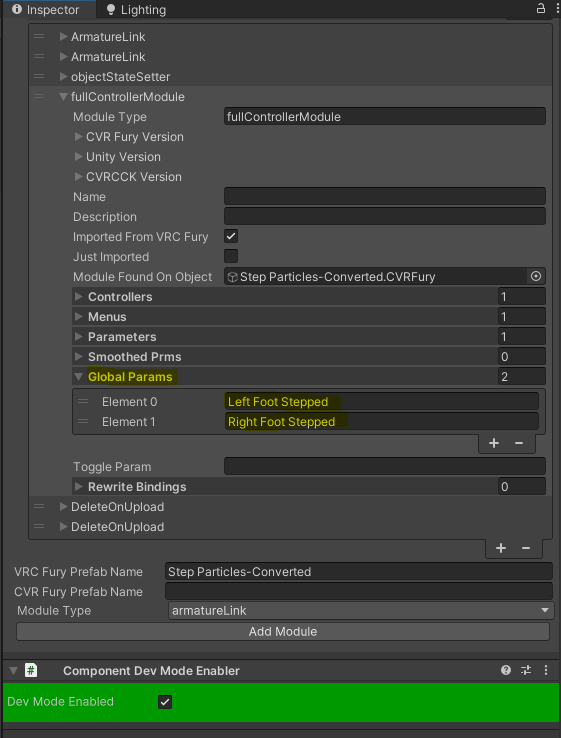
CVRFury includes native stubs for all VRC and VRCFury components, meaning VRC components such as PhysBones, PhysBoneColliders, Contacts, and VRC Constraints can exist in your scene without causing script errors.
Rather than a separate prefab conversion step, conversion is now done directly on each component via buttons in the component inspector.
Validator
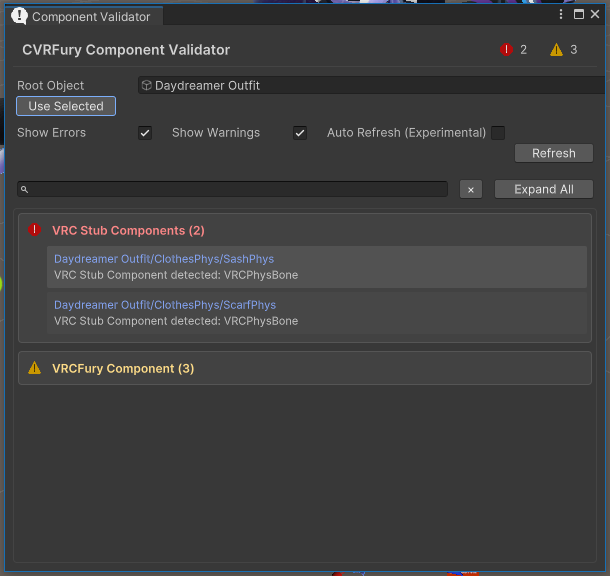
The CVRFury Validator window will scan the GameObject set in the Root Object field (and all its children) and flag any VRC components that need to be converted or removed before build/upload.
There are two ways to open the Validator:
- Via the menu bar:
NVH → CVRFury → Validator - Right-click any GameObject in the hierarchy and choose
CVRFury → Validate Components— this will open the Validator with that object already set as the Root Object
Once open, you can also click Use Selected to set the Root Object from whatever is currently selected in the hierarchy, then click Refresh to run the scan.
Clicking on any entry in the results list will select that GameObject in the hierarchy, making it easy to jump straight to the component that needs attention.
Per-Component Conversion
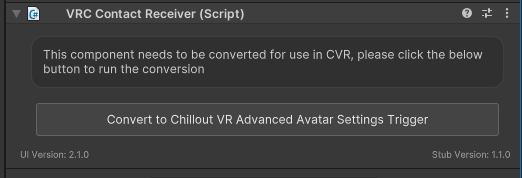
Each VRC component in the inspector has conversion buttons directly on it. Click the relevant button to convert that component to its CVR equivalent in place.
The following conversions are available:
- VRC Contact Sender → CVR Pointer
- VRC Contact Receiver → CVR Trigger
- VRC Constraints → Unity Constraints
VRC PhysBone and VRC PhysBone Collider components currently show a remove option only. Conversion support for these may be added in a future update.

You do not need to manually remove PhysBone or PhysBone Collider components — the build/upload process automatically strips VRC components before the avatar is uploaded.
Notes:
- PhysBone stubs allow you to inspect the values saved in the component but do not implement any physics for your avatar.
- VRC Contacts conversions only apply to components, not animations. This should not be an issue as VRC does not permit animating the values of a contact at runtime ref 3rdparty extended docs
- Variables triggered by CVR Triggers must currently be set as global (this can be done via the
Component Dev Mode Enablercomponent)